{
"openapi": "3.0.0",
"info": {
"title": "AI 围巾虚拟试戴",
"description": "# 概览\n用线上 AR AI 围巾虚拟试戴,把时尚体验再往上抬一档。顾客可以瞬间把围巾搭到身上的穿搭里,看花纹在真实画面里怎么垂坠流动。\n这套互动式虚拟围巾功能让顾客在线试遍各种风格与颜色,把到店体验搬到线上。依托高保真的 AR 模拟,用户随时随地都能享受细腻到位的围巾呈现。\n\n## 接入指南\n本指南将带您走完全流程:\n\n* **接口地址:** `/s2s/v2.0/task/scarf`\n* **鉴权:** 所有请求都需要 `Authorization: Bearer YOUR_API_KEY`\n* **流程:**\n 1. **准备自拍照:** 上传您自己的图片或提供有效图片 URL,作为虚拟试戴的目标。\n 1. **准备围巾图片:** 上传围巾商品图,或提供一位佩戴围巾、清楚可见且无遮挡的人物图片的有效 URL。\n 1. **选择风格与性别:** 挑选您偏好的风格,以及您想呈现的性别。\n 1. **发起 AI 任务并取得 Task ID:** 从响应中取回 `task_id`。\n 1. **轮询状态(`GET`):** 用 `task_id` 查看任务状态,持续轮询直到 `task_status` 为 `\"success\"` 或 `\"error\"`。\n\n---\n\n* 鉴权\n- 请在请求头中以 **Bearer Token** 方式带上您的 API 密钥:\n```\nAuthorization: Bearer YOUR_API_KEY\n```\nAPI Key 可在 https://yce.makeupar.com/api-console/en/api-keys/ 获取。\n\n---\n\n* AI 围巾接口使用指引\n\n本指引说明如何上传图片、准备参考围巾,以及创建虚拟试戴任务。\n\n***\n\n * 第 1 步:准备自拍照\n\n您可以:\n* 用 File 接口(`/s2s/v2.0/file`)上传自拍照,或\n* 提供一个有效的图片 URL。\n\n * 第 1.1 步:用 File 接口上传文件\n\n用 **File 接口**(`/s2s/v2.0/file`)上传目标用户图片。\n\n**图片要求:**\n\n* 上传一张自拍照。\n* 确保照片把上半身清楚呈现出来。\n* 避免背景里有多人,或杂乱干扰的物体。\n\n**请求示例:**\n\n```bash\ncurl --request POST \\\n --url https://yce-api-01.makeupar.com/s2s/v2.0/file \\\n --header 'Authorization: Bearer YOUR_API_KEY' \\\n --header 'content-type: application/json' \\\n --data '{\n \"files\": [\n {\n \"content_type\": \"image/jpg\",\n \"file_name\": \"selfie_photo_01_3dbd1b6683.jpg\",\n \"file_size\": 547541\n }\n ]\n }'\n```\n\n***\n\n * 第 1.2 步:取得 File 接口响应\n\n响应中包含:\n\n* 用于创建 AI 任务的 `file_id`。\n* 用于上传实际图片文件的 `requests.url`。\n\n**响应示例:**\n\n```json\n{\n \"status\": 200,\n \"data\": {\n \"files\": [\n {\n \"content_type\": \"image/jpg\",\n \"file_name\": \"selfie_photo_01_3dbd1b6683.jpg\",\n \"file_id\": \"SaGaqpDgKwFrVBgMpQMA3HY0LeqdT9/13W5TOD8/u/FfjK3xgCQ+hRt9MJXBFaud\",\n \"requests\": [\n {\n \"method\": \"PUT\",\n \"url\": \"https://yce-us.s3-accelerate.amazonaws.com/demo/ttl30/...signature...\",\n \"headers\": {\n \"Content-Length\": \"547541\",\n \"Content-Type\": \"image/jpg\"\n }\n }\n ]\n }\n ]\n }\n}\n```\n\n***\n\n * 第 1.3 步:把图片上传到提供的 URL\n\n用 File 接口响应中的 `requests.url` 上传图片:\n\n```bash\ncurl --location --request PUT 'https://yce-us.s3-accelerate.amazonaws.com/demo/ttl30/...signature...' \\\n --header 'Content-Type: image/jpg' \\\n --header 'Content-Length: 547541' \\\n --data-binary @'./selfie_photo_01_3dbd1b6683.jpg'\n```\n\n***\n\n * 第 2 步:准备参考围巾图片\n\n您可以:\n\n* 用 File 接口(`/s2s/v2.0/file`)上传围巾图片,或\n* 提供一个有效的图片 URL。\n\n**支持的围巾图片:**\n\n* 围巾的商品图。\n* 一位无遮挡佩戴围巾的人物图片,作为围巾参考。\n\n详细规格见 **[文件规格与错误码](#section/overview/File-Specs-and-Errors)**。\n\n***\n\n * 第 3 步:创建 AI 任务\n\n挑选您偏好的风格与想呈现的性别。\n用 **AI 任务接口**(`/s2s/v2.0/task/scarf`)创建虚拟试戴任务。\n\n**参数:**\n\n* 用户图片:`src_file_id` 或 `src_file_url`。\n* 围巾图片:`ref_file_id` 或 `ref_file_url`。\n\n**请求示例:**\n\n```bash\ncurl --request POST \\\n --url https://yce-api-01.makeupar.com/s2s/v2.0/task/scarf \\\n --header 'Authorization: Bearer YOUR_API_KEY' \\\n --header 'content-type: application/json' \\\n --data '{\n \"src_file_url\": \"https://example.com/selfie.jpg\",\n \"ref_file_url\": \"https://example.com/accessory.jpg\",\n \"gender\": \"female\",\n \"style\": \"random\"\n}'\n```\n\n**响应示例:**\n\n```json\n{\n \"status\": 200,\n \"data\": {\n \"task_id\": \"SaGaqpDgKwFrVBgMpQMA3HY0LeqdT9_13W5TOD8_u_GPi6NqQ3dhlmN-6ntFwhzT\"\n }\n}\n```\n\n***\n\n * 第 4 步:轮询任务结果\n\n用任务 ID 查看状态:\n\n```bash\ncurl --request GET \\\n --url https://yce-api-01.makeupar.com/s2s/v2.0/task/scarf/SaGaqpDgKwFrVBgMpQMA3HY0LeqdT9_13W5TOD8_u_GPi6NqQ3dhlmN-6ntFwhzT \\\n --header 'Authorization: Bearer YOUR_API_KEY' \\\n --header 'content-type: application/json'\n```\n\n***\n\n * 第 5 步:取回结果\n\n成功的响应会给出结果图片的下载 URL:\n\n```json\n{\n \"status\": 200,\n \"data\": {\n \"error\": null,\n \"results\": {\n \"url\": \"https://yce-us.s3-accelerate.amazonaws.com/demo/ttl30/...signature...\"\n },\n \"task_status\": \"success\"\n }\n}\n```\n\nAPI 密钥无效的报错响应:\n\n```json\n{\n \"status\": 401,\n \"error\": \"Unauthorized\",\n \"error_code\": \"InvalidAccessToken\"\n}\n```\n\n---\n\n## 文件规格与错误码\n\n* AI 围巾虚拟试戴规格\n\n * 图片要求\n\n| 类型 | 最低分辨率 | 说明 |\n| ------ | ------------------ | ----- |\n| 自拍照 | 512 × 512 | 脸部可见,建议拍到头到胸 |\n| 围巾 | 512 × 512(商品图)
800 × 800(实拍照) | 围巾画面清楚、无遮挡 |\n\n**支持的围巾图片**\n\n* 商品图要求\n * 最低分辨率:512 × 512 像素\n * 每张图片只放一件商品\n * 商品应占图片高度的 25% 以上\n\n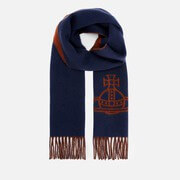\n\n* 实拍照要求\n * 最低分辨率:800 × 800 像素\n\n\n\n**支持的自拍视角**\n\n* 建议图片分辨率:至少 512 × 512 像素。\n* 建议脸部占比:超过图片高度的 15%。\n* 图片必须清楚呈现单一真人主体,脸部完整可见,画面至少包含从头顶到胸口的头像照,半身照更佳。\n\n\n\n**试戴风格**\n\n* 生成虚拟试戴结果有五种预设风格:\"style_french_elegance\"、\"style_light_luxury\"、\"style_cottagecore\"、\"style_modern_chic\" 与 \"style_bohemian\"。创建 AI 任务时可指定该风格参数;不指定时,系统默认随机挑选。\n\n\n\n---\n\n* 支持的格式与尺寸\n\n|AI 功能|支持尺寸|支持文件大小|支持格式|\n| ---- | ---- | ---- | ---- |\n|AI 围巾虚拟试戴|输入:长边 <= 4096
输出:896 x 1152 |< 10MB|jpg/jpeg/png/heic|\n\n* 错误码\n\n| 错误码 | 说明 |\n| ------------------------------ | -------------------------------------------- |\n| error\\_download\\_image | 源图或参考图下载失败 |\n| error\\_inference | 推理流程出错 |\n| error\\_no\\_face | 源图中未检测到人脸 |\n| error\\_nsfw\\_content\\_detected | 在结果中检测到不适宜内容(NSFW) |\n| exceed\\_max\\_filesize | 文件大小超过 10 MB |\n| invalid\\_parameter | 性别或风格取值无效 |\n| unknown\\_internal\\_error | 其他内部错误 |\n\n\n* 运行环境与依赖\n\n| 示例代码语言 / 工具 | 建议运行时版本 |\n|---|---|\n| cURL | - bash >= 3.2 - curl >= 7.58 (modern TLS/HTTP support) - jquery >= 1.6 (robust JSON parsing) |\n| Node.js (JavaScript) | Node >= 18 (for global fetch) |\n| JavaScript | - Chrome / Edge >= 80 - Firefox >= 74 - Safari >= 13.1 |\n| PHP | PHP >= 7.4 (for modern TLS/compat), ext-curl (recommended) or allow_url_fopen=On + ext-openssl, ext-json |\n| Python | Python >= 3.10 (for f-strings), requests >= 2.20.0 |\n| Java | Java 11+ (for HttpClient), Jackson Databind >= 2.12.0 |\n\n---\n\n## 点数消耗\n\n| AI 功能 | 消耗点数 |\n|---|---|\n| AI 围巾虚拟试戴 V2.0 | 2 |\n\n---\n",
"version": "",
"termsOfService": "https://www.makeupar.com/perfectbeauty/youcam/terms-of-service-api",
"contact": {
"email": "YouCamOnlineEditor_API@perfectcorp.com"
},
"license": {
"name": "Privacy policy",
"url": "https://www.makeupar.com/perfectbeauty/youcam/privacy-policy-api"
}
},
"servers": [
{
"url": "https://yce-api-01.makeupar.com"
}
],
"tags": [
{
"name": "V2.0",
"description": "用 AI 处理上传的图片,生成 AI 围巾虚拟试戴体验,并支持控制服装与背景搭配的风格参数。"
}
],
"paths": {
"/s2s/v2.0/task/scarf": {
"post": {
"summary": "执行 AI 围巾虚拟试戴 任务。",
"description": "本接口用于发起 AI 围巾虚拟试戴流程。您需要提供源文件、参考文件(URL 或 ID),并指定性别与风格参数。任务会异步处理,您可以使用本响应返回的 task_id 查询其状态。\n",
"tags": [
"V2.0"
],
"security": [
{
"BearerAuthenticationV2": []
}
],
"requestBody": {
"required": true,
"content": {
"application/json": {
"schema": {
"allOf": [
{
"$ref": "#/components/schemas/GenderRunTaskV2"
},
{
"type": "object",
"properties": {
"style": {
"type": "string",
"enum": [
"random",
"style_french_elegance",
"style_light_luxury",
"style_cottagecore",
"style_modern_chic",
"style_bohemian"
],
"default": "random",
"description": "用于控制服装与背景风格。",
"example": "random"
}
}
}
]
}
}
}
},
"responses": {
"200": {
"description": "任务执行成功",
"content": {
"application/json": {
"schema": {
"$ref": "#/components/schemas/BasicRunTaskResponseV2"
}
}
}
},
"400": {
"description": "任务执行失败",
"content": {
"application/json": {
"schema": {
"allOf": [
{
"$ref": "#/components/schemas/RunError"
}
]
}
}
}
},
"401": {
"$ref": "#/components/responses/InvalidApiKey"
},
"429": {
"$ref": "#/components/responses/TooManyRequests"
}
}
}
},
"/s2s/v2.0/task/scarf/{task_id}": {
"get": {
"summary": "查询 AI 围巾虚拟试戴 任务的状态。",
"tags": [
"V2.0"
],
"security": [
{
"BearerAuthenticationV2": []
}
],
"parameters": [
{
"name": "task_id",
"in": "path",
"required": true,
"schema": {
"type": "string",
"example": "grH0CvsgXuAIHLUzD0V1Ol34hoet3R1tvdbtiVHrDb6_UqCLKIejAIajwxrhOAfe"
},
"description": "要查询的任务 ID"
}
],
"responses": {
"200": {
"description": "任务状态查询成功",
"content": {
"application/json": {
"schema": {
"$ref": "#/components/schemas/TaskStatusResponseV2"
}
}
}
},
"400": {
"$ref": "#/components/responses/InvalidTaskId"
},
"401": {
"$ref": "#/components/responses/InvalidApiKey"
},
"500": {
"$ref": "#/components/responses/TaskTimeout"
}
}
}
}
},
"components": {
"securitySchemes": {
"BearerAuthenticationV2": {
"type": "http",
"scheme": "bearer",
"description": "使用标准的 Bearer 鉴权。把您的 API 密钥放进请求头: `Authorization:Bearer YOUR_API_KEY`。请注意 'Bearer' 与 'YOUR_API_KEY' 之间有一个空格。"
}
},
"schemas": {
"BasicRunTaskV2SrcFileUrl": {
"type": "object",
"required": [
"src_file_url"
],
"properties": {
"src_file_url": {
"type": "string",
"description": "用于运行任务的文件 URL,该 URL 需可公开访问。",
"example": "https://example.com/selfie.jpg"
}
}
},
"BasicRunTaskV2RefFileUrl": {
"type": "object",
"properties": {
"ref_file_url": {
"type": "string",
"description": "用于运行任务的参考文件 URL,该 URL 需可公开访问。",
"example": "https://example.com/accessory.jpg"
}
}
},
"BasicRunTaskV2RefFileId": {
"type": "object",
"properties": {
"ref_file_id": {
"type": "string",
"description": "用于运行任务的参考文件 ID,取自上传文件接口返回的 file_id。",
"example": "pfNK5PuRe0MrwLHcGA3DOmB1ahwfXTbYHjv+KoBIxbE="
}
}
},
"BasicRunTaskV2SrcFileId": {
"type": "object",
"required": [
"src_file_id"
],
"properties": {
"src_file_id": {
"type": "string",
"description": "用于运行任务的文件 ID,取自上传文件接口返回的 file_id。",
"example": "pfNK5PuRe0MrwLHcGA3DOmB1ahwfXTbYHjv+KoBIxbE="
}
}
},
"BasicRunTaskV2WithRequiredRef": {
"title": "BasicRunTaskV2WithRef",
"anyOf": [
{
"allOf": [
{
"title": "以源文件 URL 与参考文件 URL 运行任务",
"required": [
"ref_file_url"
]
},
{
"$ref": "#/components/schemas/BasicRunTaskV2SrcFileUrl"
},
{
"$ref": "#/components/schemas/BasicRunTaskV2RefFileUrl"
}
]
},
{
"allOf": [
{
"title": "以源文件 URL 与参考文件 ID 运行任务",
"required": [
"ref_file_id"
]
},
{
"$ref": "#/components/schemas/BasicRunTaskV2SrcFileUrl"
},
{
"$ref": "#/components/schemas/BasicRunTaskV2RefFileId"
}
]
},
{
"allOf": [
{
"title": "以源文件 ID 与参考文件 URL 运行任务",
"required": [
"ref_file_url"
]
},
{
"$ref": "#/components/schemas/BasicRunTaskV2SrcFileId"
},
{
"$ref": "#/components/schemas/BasicRunTaskV2RefFileUrl"
}
]
},
{
"allOf": [
{
"title": "以源文件 ID 与参考文件 ID 运行任务",
"required": [
"ref_file_id"
]
},
{
"$ref": "#/components/schemas/BasicRunTaskV2SrcFileId"
},
{
"$ref": "#/components/schemas/BasicRunTaskV2RefFileId"
}
]
}
]
},
"GenderRunTaskV2": {
"allOf": [
{
"$ref": "#/components/schemas/BasicRunTaskV2WithRequiredRef"
},
{
"type": "object",
"required": [
"gender"
],
"properties": {
"gender": {
"type": "string",
"enum": [
"female",
"male"
],
"description": "图片中人物的性别。",
"example": "female"
}
}
}
]
},
"BasicRunTaskResponseV2": {
"type": "object",
"properties": {
"status": {
"type": "integer",
"description": "响应状态",
"example": 200
},
"data": {
"type": "object",
"properties": {
"task_id": {
"type": "string",
"description": "该任务的 ID。凭这个 ID 可在 24 小时内查询任务结果。",
"example": "grH0CvsgXuAIHLUzD0V1Ol34hoet3R1tvdbtiVHrDb6_UqCLKIejAIajwxrhOAfe"
}
}
}
}
},
"RunError": {
"type": "object",
"properties": {
"status": {
"type": "integer",
"description": "响应状态",
"example": 400
},
"error": {
"type": "string",
"description": "错误信息",
"example": "The operation could not be completed"
},
"error_code": {
"type": "string",
"enum": [
"InvalidParameters",
"CreditInsufficiency",
"InvalidStyleGroup",
"InvalidStyle",
"BadRequest"
],
"description": "错误码:\n * InvalidParameters - 请求参数无效\n * CreditInsufficiency - 点数不足,无法运行\n * BadRequest - 请求参数不符合预期\n * InvalidStyleGroup - 风格分组 ID 无效\n * InvalidStyle - 风格 ID 无效\n"
}
}
},
"EngineErrorCode": {
"type": "string",
"nullable": true,
"enum": [
"error_exceed_max_image_size",
"exceed_max_filesize",
"invalid_parameter",
"error_download_image",
"error_download_mask",
"error_decode_image",
"error_decode_mask",
"error_nsfw_content_detected",
"error_no_face",
"error_pose",
"error_face_parsing",
"error_inference",
"exceed_nsfw_retry_limits",
"error_upload",
"unknown_internal_error"
],
"description": "错误码:\n- \\`error_exceed_max_image_size\\` - 输入图片尺寸超出上限\n- \\`exceed_max_filesize\\` - 输入文件大小超出上限\n- \\`invalid_parameter\\` - 参数取值无效\n- \\`error_download_image\\` - 下载原图出错\n- \\`error_download_mask\\` - 下载蒙版图片出错\n- \\`error_decode_image\\` - 解码原图出错\n- \\`error_decode_mask\\` - 解码蒙版图片出错\n- \\`error_nsfw_content_detected\\` - 在原图中检测到不适宜内容(NSFW)\n- \\`error_no_face\\` - 原图中没有检测到人脸\n- \\`error_pose\\` - 原图的姿态检测失败\n- \\`error_face_parsing\\` - 原图的人脸分割失败\n- \\`error_inference\\` - 推理流程中出现错误\n- \\`exceed_nsfw_retry_limits\\` - 为避免生成不适宜内容, 重试次数已用尽\n- \\`error_upload\\` - 上传结果图片出错\n- \\`unknown_internal_error\\` - 其他错误\n"
},
"TaskStatusResponseBodySingleUrlResultsV2": {
"type": "object",
"properties": {
"url": {
"type": "string",
"description": "下载该结果的 URL,有效期 2 小时",
"example": "https://example.com/sample-result-url"
}
}
},
"TaskStatusResponseV2": {
"type": "object",
"properties": {
"status": {
"type": "integer",
"description": "响应状态",
"example": 200
},
"data": {
"type": "object",
"properties": {
"task_status": {
"type": "string",
"enum": [
"running",
"success",
"error"
],
"description": "任务状态"
},
"error": {
"$ref": "#/components/schemas/EngineErrorCode"
},
"error_message": {
"type": "string",
"description": "错误的详细说明"
},
"results": null
}
}
},
"$ref": "#/components/schemas/TaskStatusResponseBodySingleUrlResultsV2"
}
},
"responses": {
"InvalidApiKey": {
"description": "API 密钥无效或缺失",
"content": {
"application/json": {
"schema": {
"type": "object",
"properties": {
"status": {
"type": "integer",
"example": 401,
"description": "响应状态"
},
"error": {
"type": "string",
"example": "Invalid API key"
}
}
}
}
}
},
"TooManyRequests": {
"description": "请求过多",
"content": {
"application/json": {
"schema": {
"type": "object",
"properties": {
"status": {
"type": "integer",
"example": 429,
"description": "响应状态"
},
"error": {
"type": "string",
"example": "Too many requests"
}
}
}
}
}
},
"InvalidTaskId": {
"description": "任务 ID 无效",
"content": {
"application/json": {
"schema": {
"type": "object",
"properties": {
"status": {
"type": "integer",
"example": 400,
"description": "响应状态"
},
"error": {
"type": "string",
"example": "Invalid task ID"
}
}
}
}
}
},
"TaskTimeout": {
"description": "任务执行超时",
"content": {
"application/json": {
"schema": {
"type": "object",
"properties": {
"status": {
"type": "integer",
"example": 500,
"description": "响应状态"
},
"error": {
"type": "string",
"example": "Task execution timed out"
}
}
}
}
}
}
}
}
}